



NeuNow on the App Store
Your schedule. Always in sight.
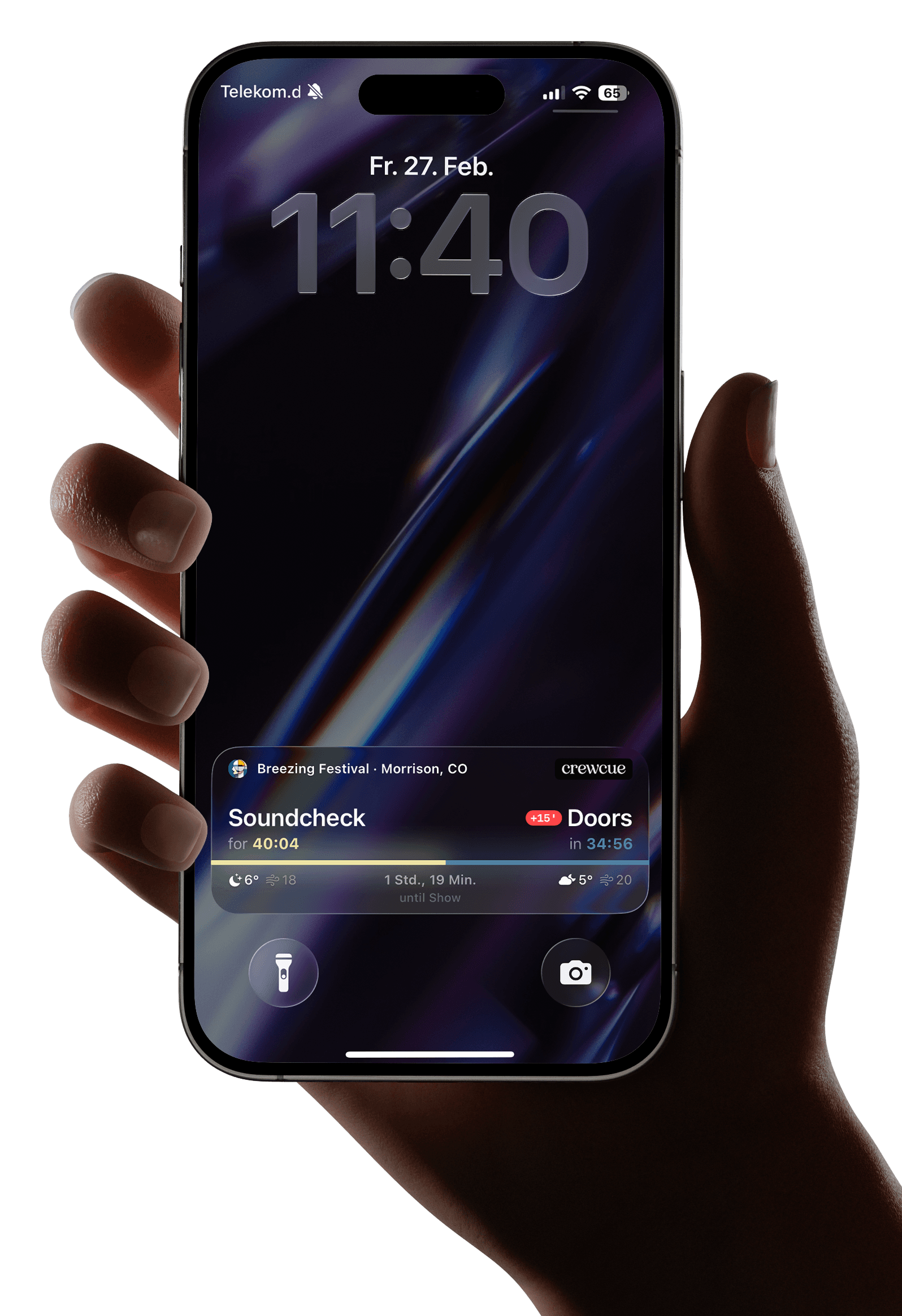
CrewCue brings your production's day sheet directly to the lock screen — with countdown, delays and crew alerts.
Ready in three steps
No assigning, no per-event planning — create a schedule and you're good to go.
- 01
Create a day sheet
Create a day sheet with timeslots — manually, with the scanner or on desktop via the web dashboard.
- 02
Invite crew & check in
Invite your crew via email. Everyone checks in on their own — no need to assign people per event.
- 03
Live on the lock screen
The current timeslot appears in real time on the iPhone — with countdown, delays and crew alerts.
Three states. One lock screen.
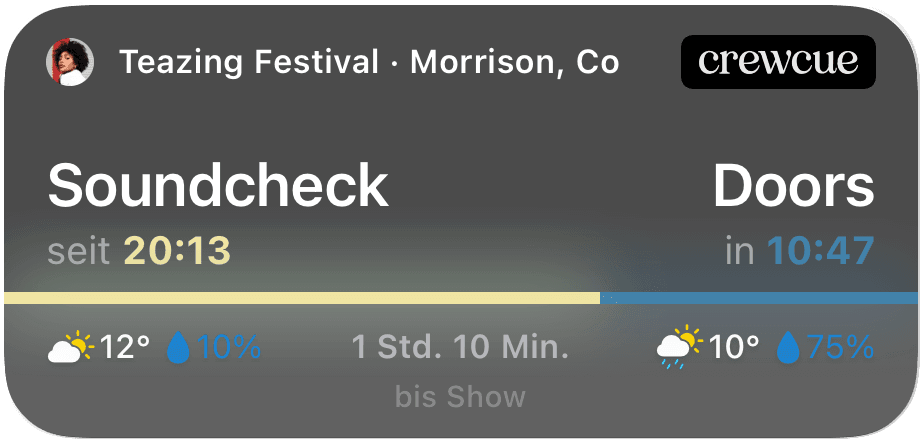
Schedule, delays and crew alerts — everything appears automatically on the iPhone, without opening the app.

Your schedule on the lock screen
Current slot, next item, countdown, location and weather — everything at a glance, without opening the app.
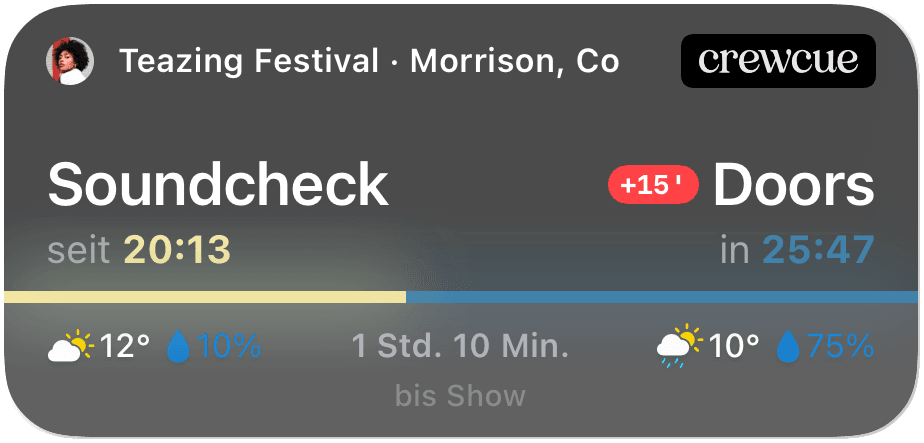
Delays in real time
When a slot shifts, the delay is automatically calculated — all times adjust across every device.
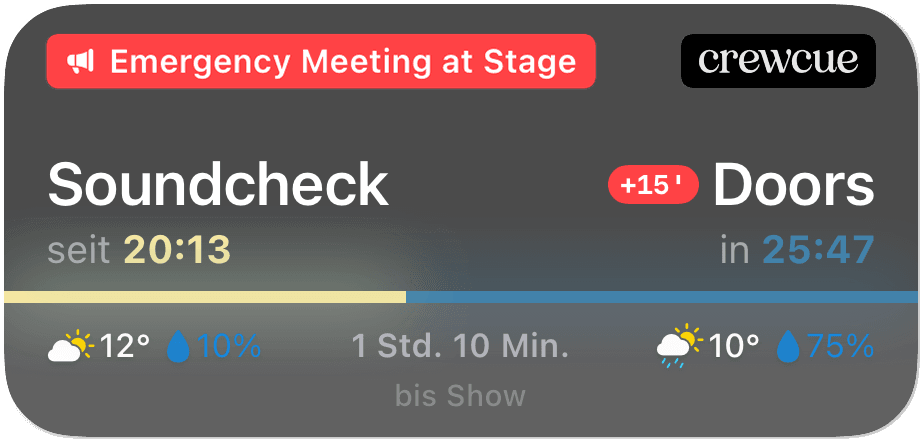
Crew alerts right on the lock screen
Time-critical changes instantly to the entire crew — via push and as a badge in the Dynamic Island.
Three states. One lock screen.
Schedule, delays and crew alerts — everything appears automatically on the iPhone, without opening the app.
Your schedule on the lock screen
Current slot, next item, countdown, location and weather — everything at a glance, without opening the app.
Everything your crew needs
Dashboard, documents and scanner — all in one app.
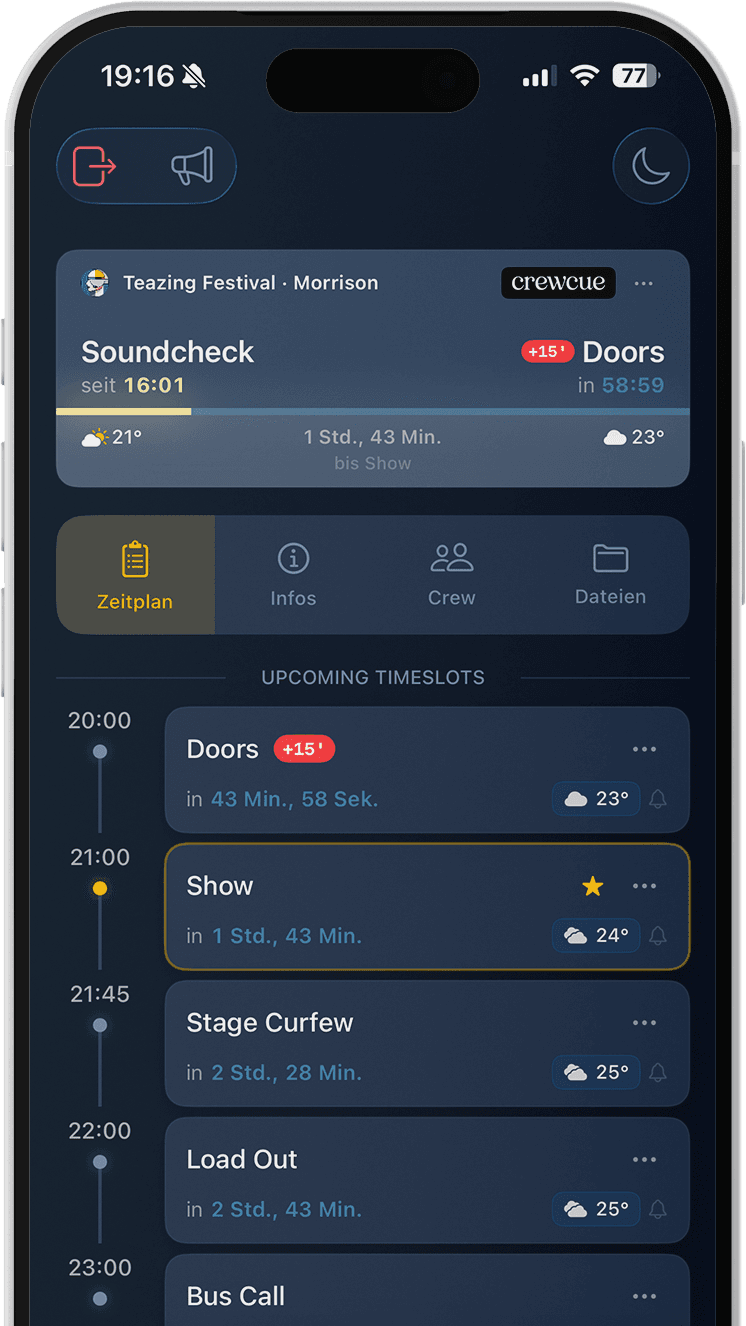
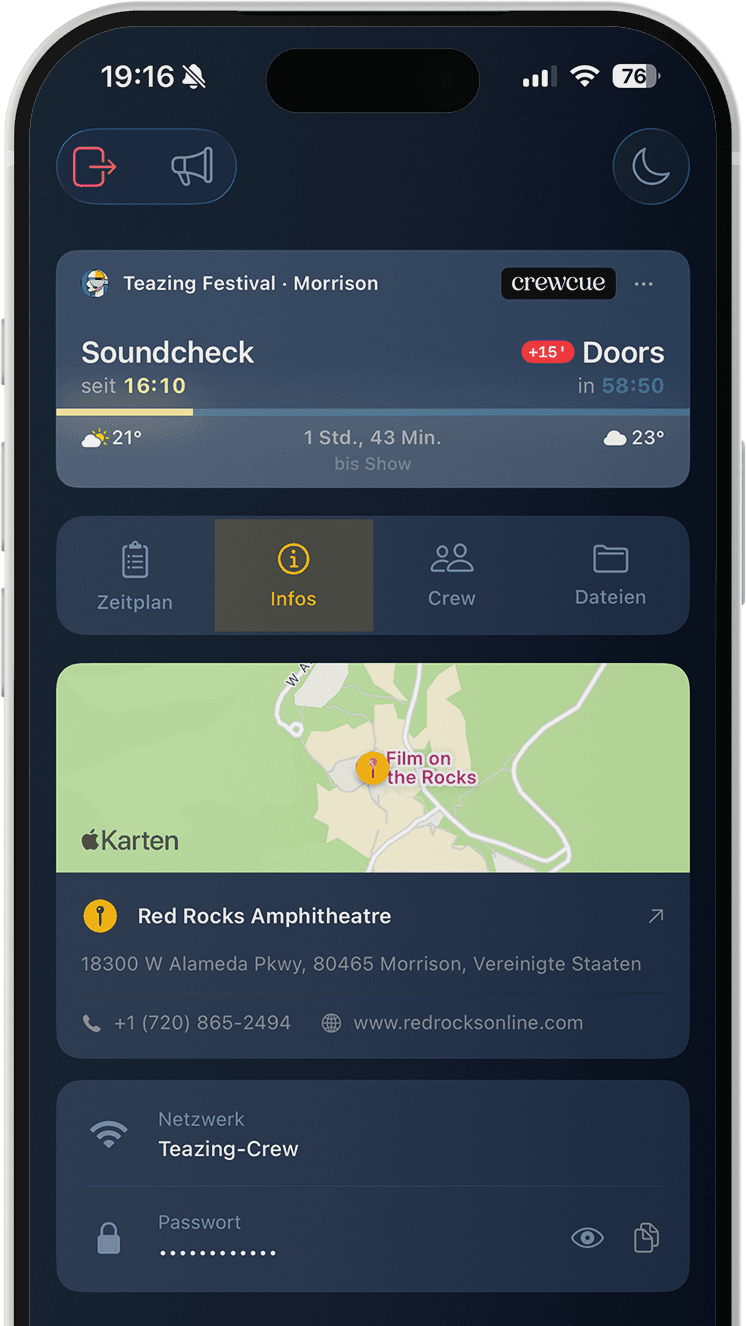
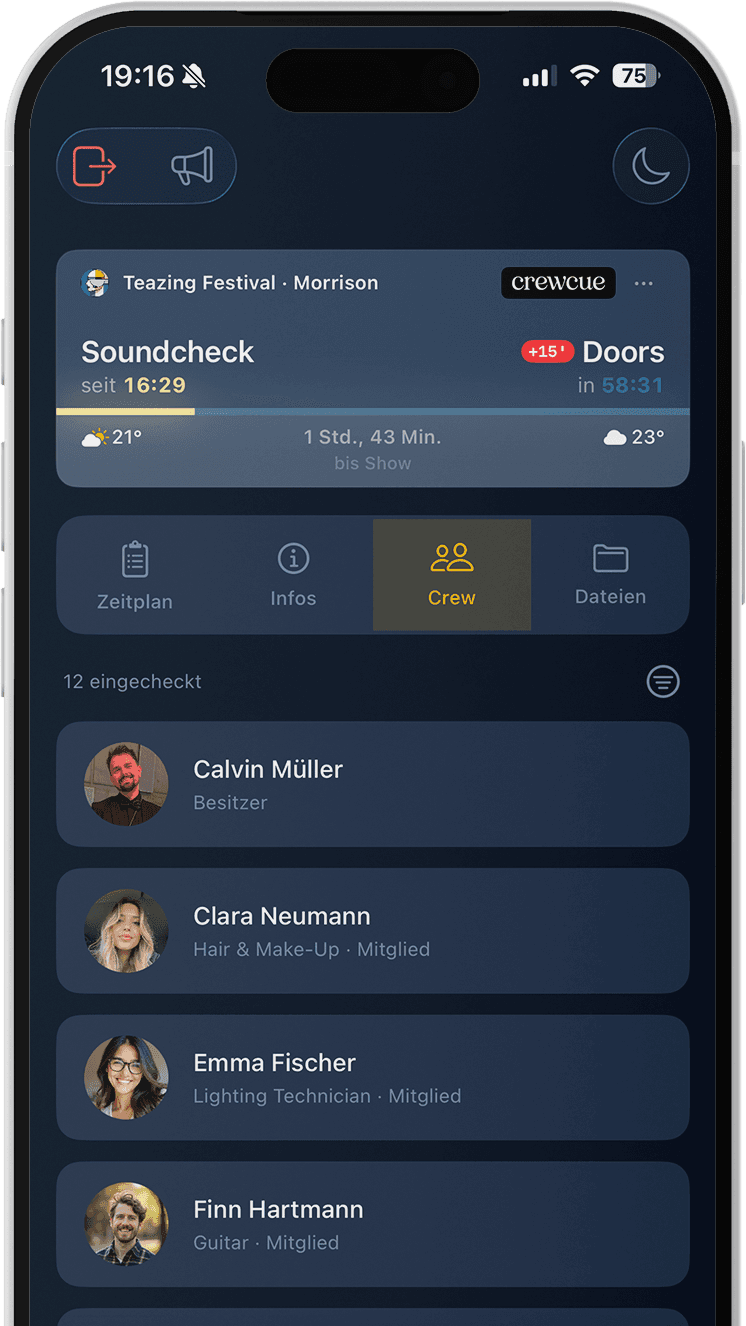
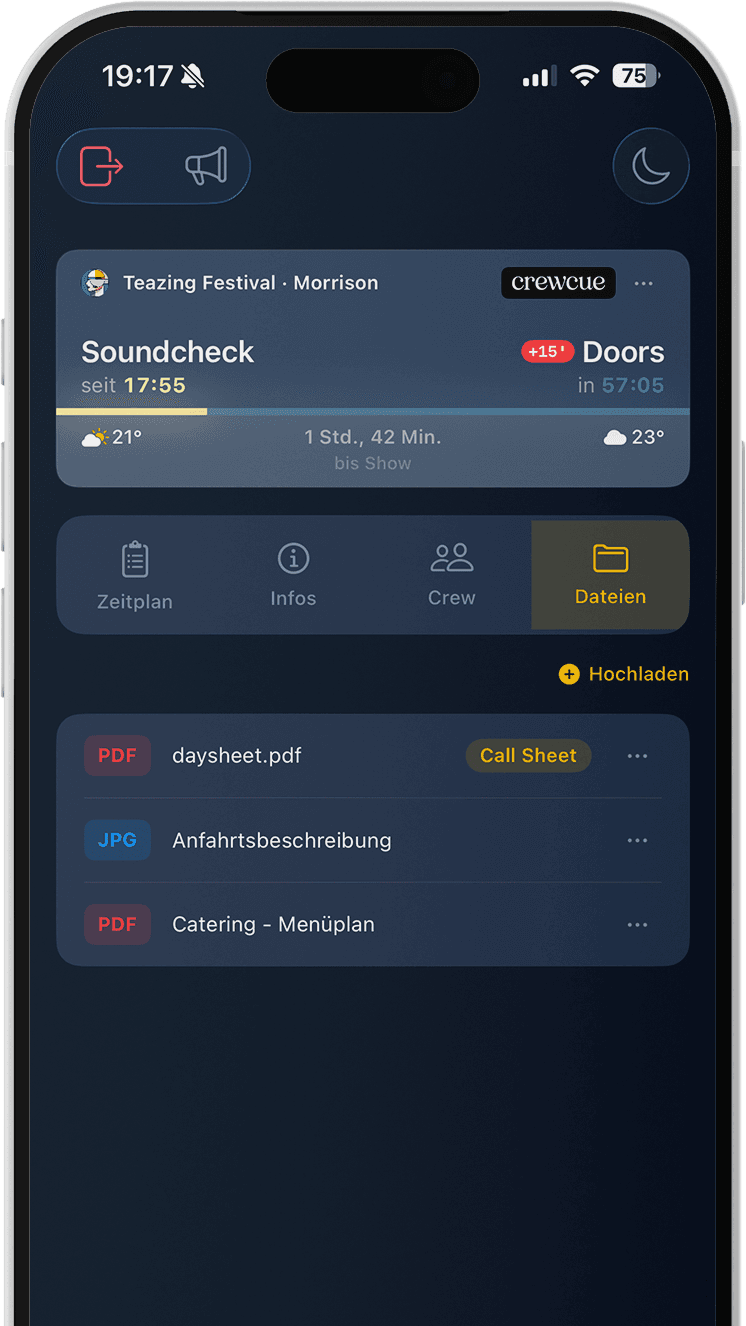
Everything at a glance — in the app.
After check-in you see the full schedule with live timer, weather data, documents and all event info.
- Timeslots with live timer, weather and delays
- Venue with map, contact details and WiFi
- All checked-in crew members in one overview
- Documents and files attached directly to the event
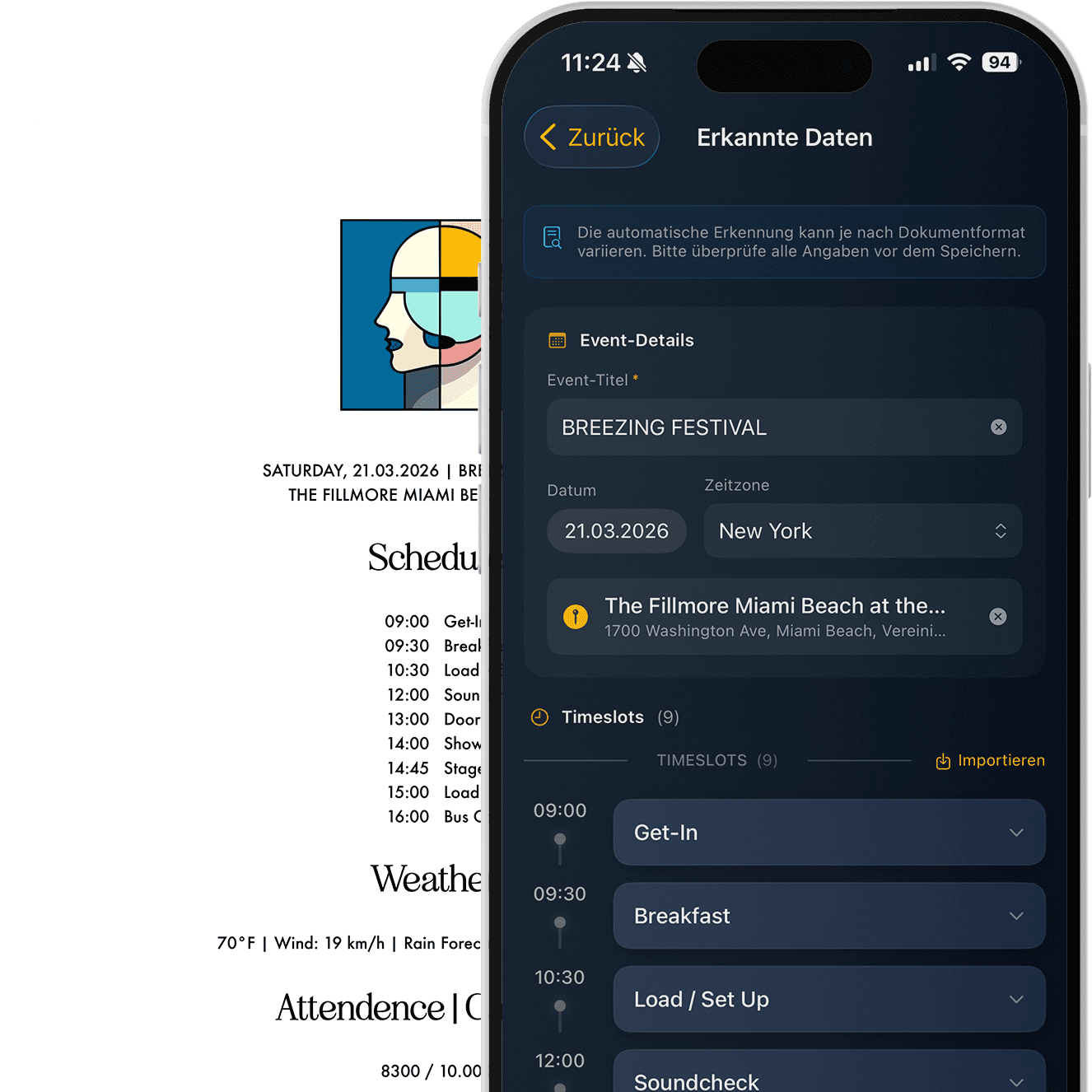
Import a day sheet — done.
Take a photo, pick an image from your library or open a PDF — timeslots, times and titles are automatically recognized and filled into the form.
- OCR + heuristic extraction in real time
- AI refinement directly on your device*
*Requires iPhone 15 Pro or later
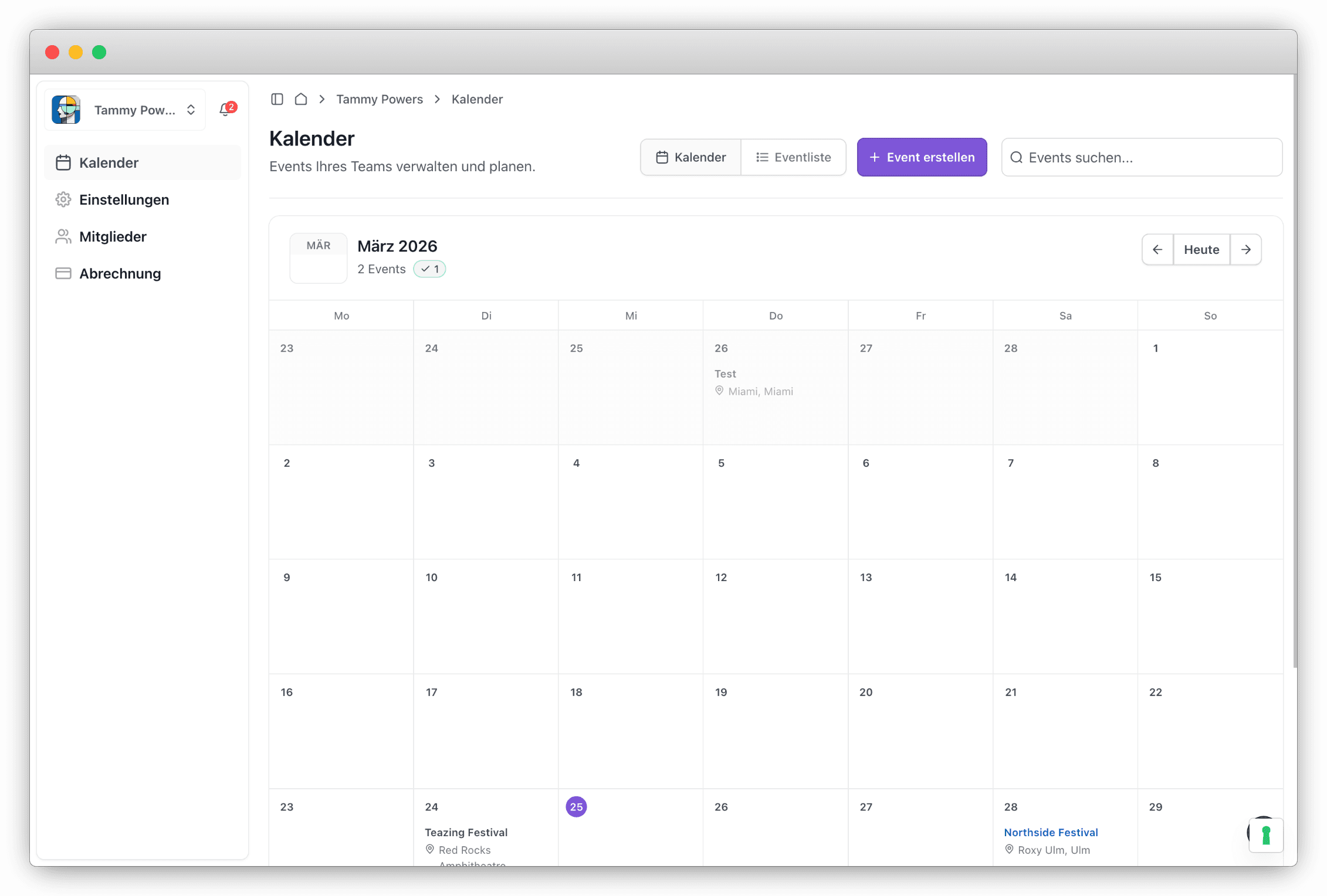
Plan on desktop. Live on iPhone.
Create and manage your events from the browser. Edit timeslots, upload documents and manage your crew — everything syncs in real time with the app.
- Create and edit events
- Plan and manage timeslots
- Invite and manage crew members
- Upload and share documents
- Assign roles and permissions
- Available on any device with a browser
Thoughtful down to the detail
Never miss a slot again
Set an alarm for any timeslot — right from the app. CrewCue wakes you up on time, whether it's soundcheck at 6 or showtime at 10 PM.
Uses Apple's AlarmKit — rings even in silent mode.
Invite crew via email
Send invitations directly from the app — your crew member accepts and is instantly part of the team.
OnStage Mode
Red display for the stage. Protects your night vision in dark production environments.
Auto-detect venues
Type the venue name — address, timezone and map are filled in automatically.
Offline mode & weather
All event data cached locally. Plus: weather data right in the dashboard — handy for open-air.
For every live production
Whether it's a stage, festival or conference — CrewCue adapts to your workflow.
Theater & Musicals
Rehearsals, performances, changeovers — the entire schedule at a glance.
Concerts & Festivals
Line-up, soundcheck, showtime — for every stage and every department.
Corporate Events
Conferences, trade shows, galas — structured schedules for large teams.
Film & TV
Shoot days, scene plans, crew — everything coordinated in real time.
On a team or solo — CrewCue adapts.
Three ways to use CrewCue — depending on who you are and what you do.
Free for crew members.
Download the app, sign up — once your team invites you, you can check in and use everything.
CrewCue Solo — for freelancers & contractors
Booked for a production that doesn't use CrewCue? Set up the schedule just for yourself — with all of the app's core features.
€9.99/month · In-app purchase · Free trial
Team subscription
Team S
10 Check-in Slots
Included in every plan
- Unlimited team members
- Live Activities & Dynamic Island
- Document upload & sharing
- Real-time crew alerts
- Weather integration
- Offline mode
- Web dashboard
- Timeslot alarm (AlarmKit)
- 10 Check-in Slots
Frequently asked questions
Your team can have unlimited members. Check-in slots determine how many of them can check in on the same day. With Team S (10 slots), for example, up to 10 people can be actively checked in per day.
Yes — for crew members. Every invited team member uses the app for free with all features (Live Activity, check-in, crew alerts, alarms). To create a team, you need a team subscription via the website. If you're a freelancer booked for productions that don't use CrewCue, there's also CrewCue Solo (€9.99/month, in-app purchase).
CrewCue Solo is the subscription for freelancers and contractors — photographers, audio/lighting/stage technicians, camera assistants. Booked for a production that doesn't use CrewCue? With Solo, you set up the day sheet just for yourself and get everything the app offers: scanner, Live Activity on the lock screen, alarms, offline mode, weather. €9.99/month as an in-app purchase with a free trial. Cancel any time via Apple's Settings.
Yes. There are two ways: either a team invites you and you use the app as a crew member completely free — experiencing Live Activity, check-in and crew alerts firsthand. Or you start CrewCue Solo with a free trial and try the app as a freelancer. The team subscription itself has no trial, but the Solo path is a good entry point.
Currently, CrewCue is only available for iPhone (iOS 26+). Live Activity on the lock screen, Dynamic Island and the native alarm are Apple-exclusive features. The web dashboard works on any device with a browser — including Android.
Not necessarily. CrewCue stores all event data locally on your device. Live Activity, the schedule and your alarms work offline too. For real-time updates like crew alerts or delays, your device needs an internet connection.
Yes, both subscriptions can be cancelled any time. Cancel the team subscription in your web account — your team and all members are preserved, and you can reactivate it for the next tour. Cancel CrewCue Solo in Apple's Settings under Subscriptions. Good to know: event data and documents are automatically deleted 100 days after the event to save storage.
Ready for the next gig?
Download the app for free and bring your day sheet to the lock screen.